Query fan-outs and brand perception: the searches behind the answer
Before ChatGPT describes your brand, it runs its own searches. How query fan-outs decide which sources form AI brand perception, and how we read them.
A buyer types one question into ChatGPT: "Is Acme a good fit for a ten-person agency?" What they don't see is that ChatGPT may not search for that sentence at all. It can break the question into several searches of its own, something like "Acme reviews agencies", "Acme pricing small team", "Acme vs Globex", or a search restricted to one site. Each of those searches pulls back a different set of pages. The answer about Acme is written from what comes back.
Those hidden searches are query fan-outs. (The examples above are illustrative; the real sub-queries vary per prompt and per run.) For visibility work, fan-outs explain why you do or don't get cited. For perception work, they explain something more specific: which sources get to describe you. If the fan-out for a question about your brand is "Acme problems", the pages that rank for "Acme problems" are going to shape the tone of the answer.
Why perception gets decided at the sub-query level
An engine can only repeat what it retrieves. The user's prompt sets the topic, but the sub-queries pick the pages, and the pages carry the adjectives.
Look at the brand modifiers that tend to appear in fan-outs for brand questions: reviews, pricing, alternatives, versus, complaints, setup. Each one retrieves a particular kind of page. "Reviews" brings in review sites and forum threads. "Pricing" brings in your pricing page if it's readable, and third-party pages quoting your prices if it isn't. "Alternatives" brings in competitor content and roundups. So the mix of sub-queries decides the mix of voices: yours, your critics', your competitors'.
This also explains why the same question can produce differently toned answers on different runs. If one run searches "Acme reviews" and another searches "Acme features", the first one is more likely to bring in opinions.
The site: shift
One fan-out pattern changed sharply this year. Promptwatch's data report on site: operator fan-outs found that site: queries jumped from about 0.4% to about 17% of ChatGPT fan-outs on August 8, 2026.
A site: query restricts the search to one domain. When ChatGPT runs one against your domain, it reads you in your own words, and the wording on your pages becomes the description. When it runs one against a review platform, that platform's page about you takes over. Either way, it raises the stakes on whatever single page ranks first within that domain for the sub-query. If that page is a three-year-old blog post about a feature you've since removed, that's what gets read.
Seeing fan-outs for yourself: GEO Inspector
The quickest way to understand fan-outs is to watch them. Promptwatch's GEO Inspector is a free Chrome extension for ChatGPT. While you chat, it shows every sub-query ChatGPT generated from your prompt (deduplicated, with site: queries marked), the sources the answer cited, every page ChatGPT fetched grouped by host and marked cited or fetched-only, and the reasoning trail from prompt to answer. It runs locally in the browser, needs no account, and exports captures as CSV, Markdown, or JSON.
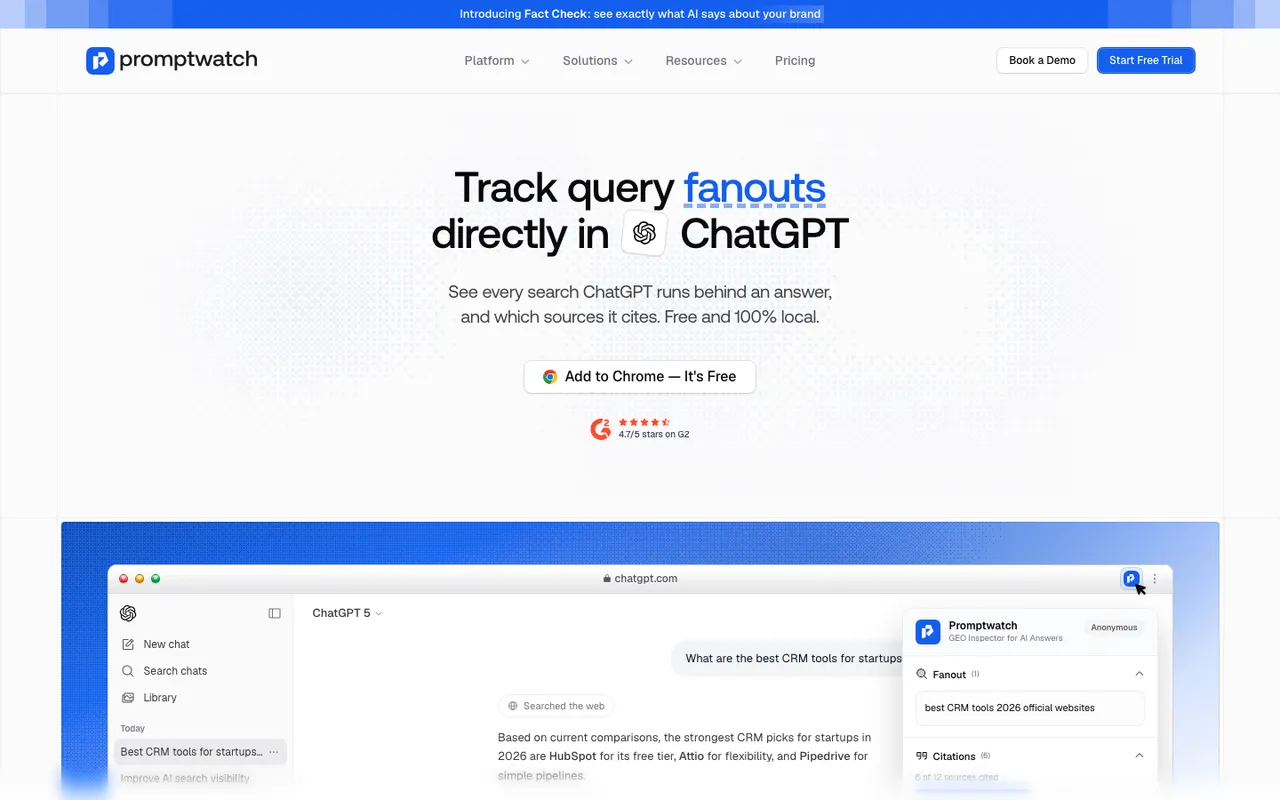 Promptwatch's GEO Inspector extension page, captured November 14, 2026. The ChatGPT conversation is an example.
The fetched versus cited split is the part we use most for perception. A page that ChatGPT fetched but didn't cite was read and passed over. If your product page keeps landing in the fetched-only group for questions about your brand, the engine is reading it and preferring something else. That's a content problem on a page you control.
Try it on five questions a buyer would ask about you. Note the sub-queries, then note which of your pages appear, cited or fetched-only. That alone usually shows where the description comes from.
Brainstorming fan-outs: the generator
Promptwatch's free tools page also has a ChatGPT Query Fan-Out Generator, which turns a prompt into clusters of search variations.
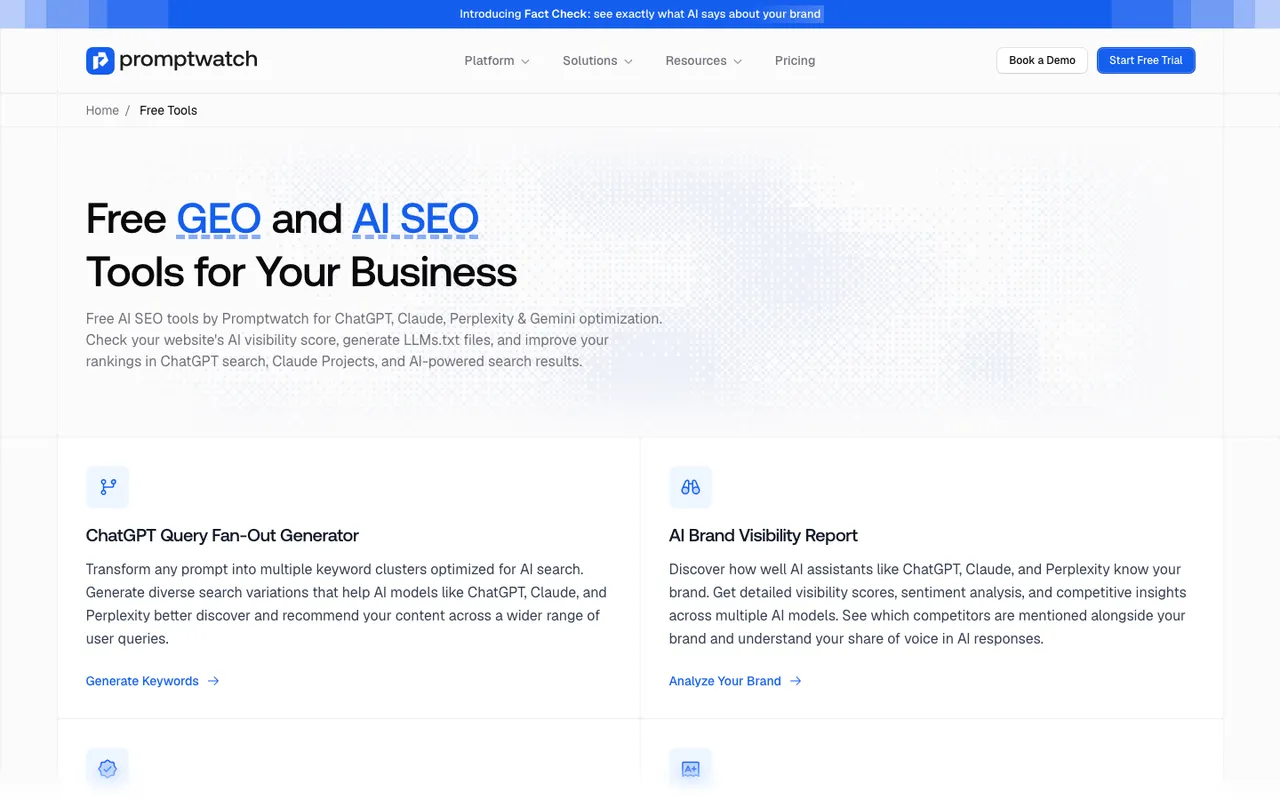 Promptwatch's free tools page, captured November 14, 2026.
Keep the two tools apart in your head. The generator predicts plausible variations; it's useful for planning content before you have data. GEO Inspector shows what ChatGPT actually searched in a real conversation. For perception, where you want to know what was read, observed data wins.
Tracking fan-outs at scale
One conversation is an anecdote. In Promptwatch, the platform we run client programs on, query fan-outs are recorded per model for every tracked prompt, with the exact sub-queries behind each response. They can also be exported alongside responses and citations. That's what turns fan-outs from something you glance at into something you can sort, count, and compare over time.
Our method for a perception-focused fan-out review:
- Pick the brand prompts. Branded questions ("Is Acme worth it?", "Acme for agencies"), comparison prompts, and the category prompts where you appear.
- Collect two to four weeks of fan-outs across the models you track.
- Group the sub-queries by modifier. Reviews, pricing, versus, alternatives, problems, setup, and anything specific to your category.
- For each group, find the page that answers it. Run the sub-query yourself and check which pages come back. Cross-check against the citations on those responses.
- Mark who owns the answer. Your page, a third-party page you can influence, or a page you can't.
- Fix the owned gaps first. If ChatGPT searches "Acme pricing small team" and your site has no page that speaks to small teams, a third-party page will answer instead.
Here's what the grouping looks like for our hypothetical Acme, with made-up sub-queries to show the format:
| Modifier | Example sub-query | Page that answers it | Owner |
|---|---|---|---|
| Pricing | "Acme pricing small team" | Acme's pricing page, if it mentions team size | Acme |
| Integrations | "Acme HubSpot integration" | An integrations page, or a forum thread if none exists | Acme, ideally |
| Reviews | "Acme reviews agencies" | Review sites and roundups | Third party |
| Versus | "Acme vs Globex" | Comparison articles, Globex's own comparison page | Mixed |
| Problems | "Acme setup issues" | Forum threads, old help articles | Mixed |
The table makes the gaps visible in a way a list of raw sub-queries doesn't. In this example, the integrations row is the cheapest fix: one clear page that Acme controls, answering a question engines already ask.
Step 5 usually sorts the work. Sub-queries like "Acme pricing" or "Acme integrations" should be answered by your own pages, and if they aren't, that's the first job. Sub-queries like "Acme reviews" will always pull in third-party pages, so the work there is making sure the reviews and roundups that rank are current and fair.
Connecting fan-outs to what AI says
Fan-outs explain the inputs. Brand Narrative shows the output: the individual claims AI makes about you, grouped and filed under themes like Pricing, Usability, and Reputation. When we see a negative claim repeating, we check the fan-outs on the prompts that produce it. Sometimes the sub-query itself carries the negative frame, such as "Acme problems" or "Acme alternatives cheaper", and the pages that rank for it supply the caveat.
You can't stop an engine from searching "Acme problems". You can make sure that a page answering that question honestly exists, ideally one of yours: a help page about known limitations and what's changed, or a changelog that shows the issue was fixed.
What fan-outs can't tell you
They show which searches ran and which pages came back. They don't show how the engine weighed each page or which sentence came from which source. Two pages can both be cited and only one of them shaped the framing. Fan-outs narrow the search for the source; reading the cited pages finishes it.
Fan-out behavior also varies by model and changes over time, as the site: jump shows. A review from last quarter is not a review of this quarter. For a primer on the concept itself, see our post on query fan-outs explained.
Where to start
Install GEO Inspector, ask ChatGPT five questions about your brand, and write down every sub-query and every page of yours it fetched. Then, if you want the same view across models and over time, start the 7-day free trial and open the query fan-outs for your tracked brand prompts.