When AI gets your pricing story wrong
ChatGPT quotes an old price, calls you expensive, or says you have no trial. How we find each kind of pricing error in AI answers and fix the pages behind it.
A prospect emails your sales team: "ChatGPT says your starter plan is $49, but your site says $79. Which is it?" Your site is right. You changed the price eighteen months ago. But the old number is still out there, on a review page or an old blog post of your own, and the engine found it first.
That's one way AI gets your pricing story wrong. There are others, and they need different fixes. This post separates them, shows where we look for each one, and covers what you can and can't do about it.
Three ways the pricing story breaks
When clients say "AI gets our pricing wrong", they usually mean one of three things.
The first is a stale or wrong number. The engine quotes a price, a plan name, or a limit that used to be true or never was. This is the one that produces confused emails like the one above.
The second is a perception label. No number at all, just framing: "on the expensive side", "pricey for small teams", "good value for enterprises". This one does quiet damage. Buyers who read "expensive" don't email to ask. They skip you.
The third is a wrong plan fact. "Has no free trial." "Offers a free plan." "Only sold annually." These aren't prices, but they decide whether a buyer tries you, and engines state them with total confidence.
Each one is found in a different place and fixed in a different way, so it's worth sorting them before doing anything.
Finding wrong numbers: read the answers themselves
This part surprises people. Brand Narrative in Promptwatch, the platform we use to pull claims out of AI answers for clients, deliberately drops claims that state a price. The Academy explains why: prices change too often to be a useful narrative. So Brand Narrative won't show you "Acme starts at $49" as a claim.
For exact numbers, we go to the responses. We track a small set of pricing prompts per client, the questions buyers really ask:
- "How much does Acme cost?"
- "Acme pricing for a team of 10"
- "Does Acme have a free plan?"
- "Acme vs Globex price"
- "Is Acme worth the money?"
Then we read the answers on the Responses tab, model by model, and note every figure. The responses export (Excel or CSV) makes it easier to scan a few weeks of answers in one sheet. It's manual, and we think it should be: a person who knows the current price list spots a wrong number in seconds, and that person should decide what counts as wrong.
When you find a wrong figure, open the response and look at its citations. The cited page is the first place to check for the old number.
Finding the perception label: the Pricing theme
For framing, Brand Narrative is the right tool. It files claims under nine themes, and Pricing covers price, cost, discounts, free tiers, and value for money. Each quote is scored from 0 to 100 (below 40 negative, 60 and up positive), and the theme score is the average of its quotes, with 50 as neutral. The Benchmark view shows where your Pricing score ranks against competitors and the gap to the best one.
Read the actual claims, not just the score. "More expensive than alternatives" and "priced for larger teams" are both negative-ish, but the second might be exactly the positioning you want. The claims table lists the most negative claims first, with how often each is repeated and by which models.
Brand Narrative is on every Promptwatch plan.
Checking plan facts: where Fact Check fits
Plan facts like "no free trial" or "has a free plan" are claims you can check. Promptwatch's Fact Check takes a claim about your brand that you mark Accurate or Inaccurate, reads every page it has crawled from your site plus up to 50 of the most-cited pages AI used alongside the claim, and quotes the sentences that state it or the opposite. The Academy's own example is exactly this kind of case: it turns "AI says we have no free plan" into "the 2022 pricing post on our blog says we retired it".
Promptwatch's feature page shows the idea with a product illustration. The claims, statuses, and figures in it are examples from the vendor, not facts about the brand shown.
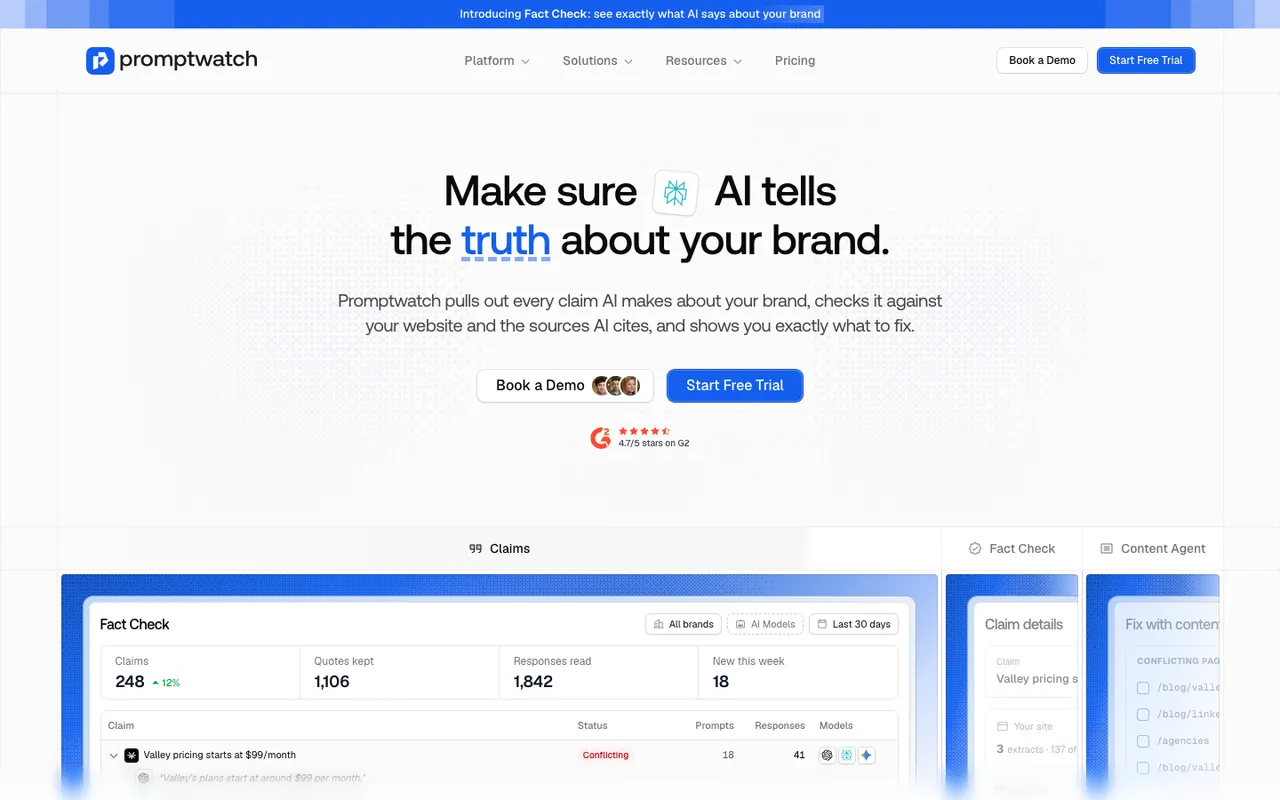 Promptwatch's Fact Check feature page, captured November 14, 2026. The dashboard is a product illustration with example claims.
To be precise about scope: we use Fact Check for plan facts and for finding which pages carry a pricing claim, not as a price verifier. Brand Narrative drops claims that state a price, so exact figures come from reading the responses, as above. Fact Check is on Business ($579 a month), Agency Scale ($799), and Enterprise, and each check uses Agent Credits with an estimate shown first.
Remember the Academy's warning too: a check reports what pages say, not what is true. If your site still says "free plan" somewhere, the check will confirm it.
Why engines get pricing wrong
In our audits, pricing errors usually trace back to one of a few causes, and most of them sit on your side.
Your pricing page doesn't state the facts plainly. Prices rendered by a script, shown only in an image, or hidden behind "contact sales" give an engine nothing to quote. A third-party page that does state a number wins by default.
Old prices live on your own site. Launch announcements, comparison posts, and help articles from two pricing changes ago are still live. Engines retrieve them for pricing questions because they contain the word "price" and a number.
Third-party pages age. Review sites and roundups describe the plans you had when they were written.
Pricing pages stay cited for a long time. Promptwatch's content half-life report followed every page ChatGPT cited on July 6, 2026 for 90 days. Pricing pages are classified as landing or product pages there. ChatGPT still cited 78% of the landing pages after 30 days, while product pages decayed faster, with 55% still cited after 60 days. The report's own advice is to treat landing pages, docs, and pricing pages as long-term citation assets and keep prices accurate on them. A wrong number on a page engines keep citing keeps getting repeated.
Fixing it: the pricing and FAQ pages first
Most of the fix is on two pages you own.
The pricing page. State every plan's price in plain text, with currency and billing period. Say what's included in each plan in words, not only in a feature grid of ticks. State the trial terms in a sentence ("free trial, no card needed", or whatever is true for you). If you sell custom plans, say so and say who they're for. A visible "last updated" date tells human readers, and anyone comparing your page with an old review, which version is current.
An FAQ that asks the buyer's questions. "Is there a free plan?" "Can I pay monthly?" "What happens when I exceed my limit?" Engines answer these questions constantly. A page that asks and answers them directly is easy to retrieve and hard to misread.
Old pages that state old prices. Update them, or add a clear note pointing to the current pricing page, or remove the number. Don't leave two prices live on your own domain.
Content Refresh is how we do this at scale. You pick the tracked prompt you want the page to perform on, pick the page, and choose a refresh level: Conservative for light edits, Balanced (the default) to rewrite sections, or Full Rewrite. You can select up to five competitor pages from the prompt's cited sources for the agent to learn from. The Differences toggle shows every change against the original before you publish.
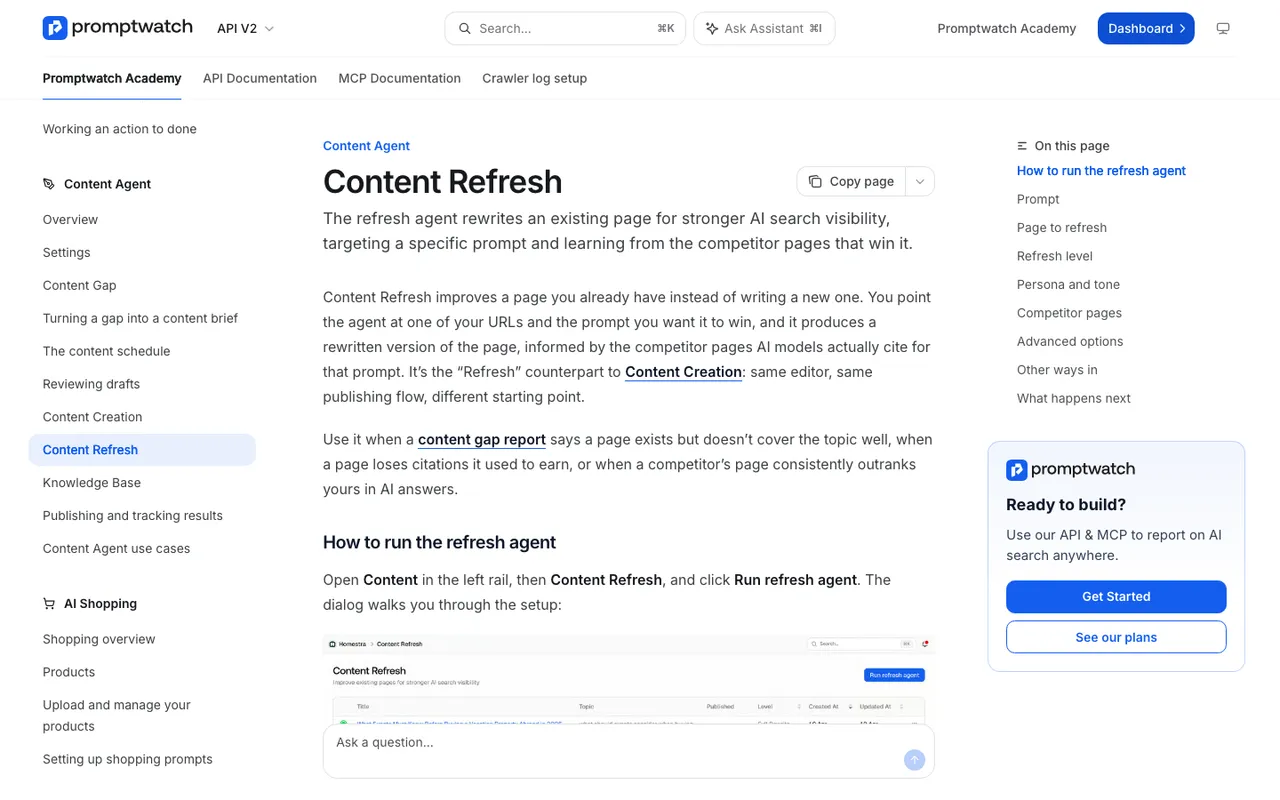 Promptwatch Academy's Content Refresh page, captured November 14, 2026.
Content Refresh uses AEO articles, which start on Professional. On Business, Fact Check's "Fix with content agent" opens a refresh for each flagged page with the sentences to rewrite already attached. The agent is told to remove the wrong claim and never repeat it, not even to deny it. That matters for pricing: a sentence like "we no longer charge $49" still puts $49 next to your name.
Third-party pages with old prices
For review sites and roundups, send the publisher one short note with the URL, the wrong sentence, the current price, and a link to your pricing page. For listings with a claim or edit process, use it. Some won't respond. Your own pricing page still has to carry the correct number either way, because that's the page you control.
Checking the fix
Re-read the responses to your pricing prompts in the weeks after the change. Does the old figure still appear, and on which models? Check whether the cited pages changed. In Brand Narrative, watch the Pricing theme claims for new wording. For plan facts, re-run the fact check once your page has been recrawled and check the outcome in the claim's check history.
We don't promise a date for any of this. Models that answer from training data, rather than live search, may keep an old figure until they're retrained.
If you want to see what engines say about your pricing today, start the 7-day free trial. Track five pricing prompts, read the answers, and you'll know within the first week which of the three problems you have.